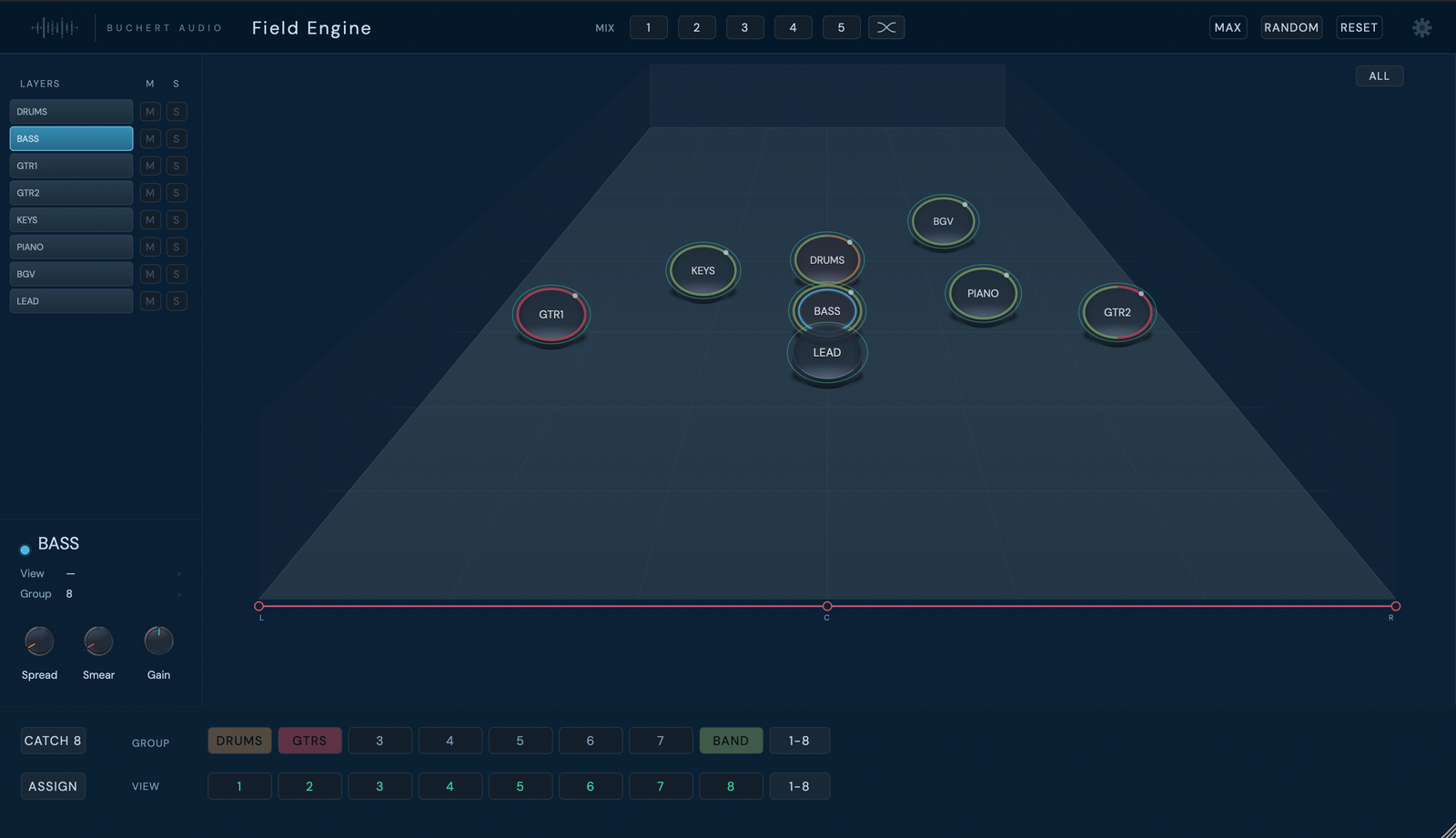
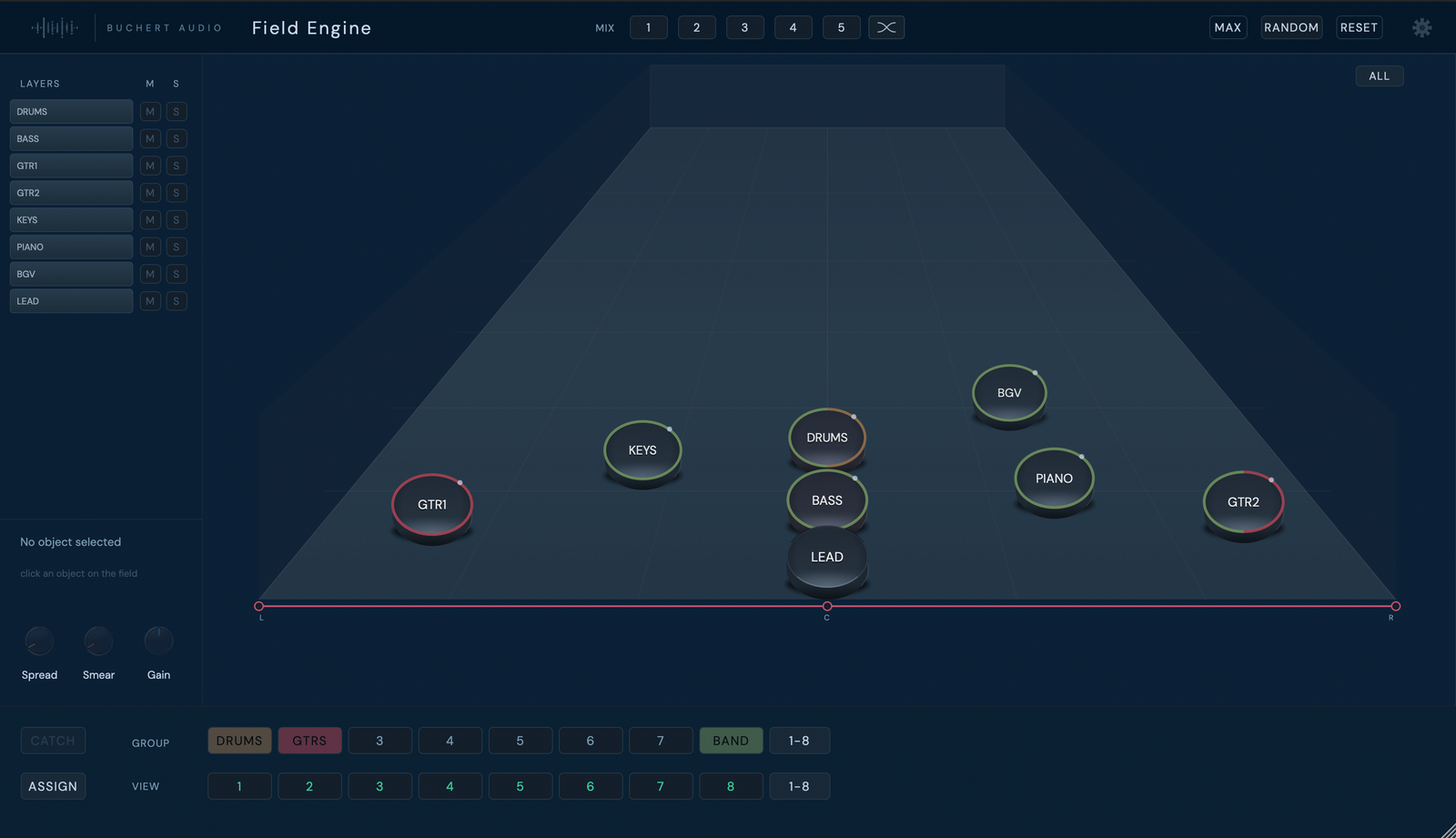
Bring depth and width into one shared view of your mix. Place sounds on the field and shape how they relate to one another.
macOS only · AU, VST3 and AAX
For desktop use. Install on your Mac.
Field Engine works with the same perceptual sense of depth and distance you know from Depth Engine — how close or far away something feels, not just its level — across your whole mix at once, with width in the same field as depth. Place sounds on the field and focus on how they relate to each other. Try the demo in a real session before deciding whether it belongs in yours.
Every object in your mix is placed on the field. Position expresses the relationship: depth, width and how the parts belong together — not just a level or a pan number.
Assign objects to groups, catch them together, and switch between saved views of the field as the session moves from rough balance to detail work.
Insert it on the tracks you want to work with, and the field reflects your session immediately — one plugin experience, ready to place and shape.
The same sense of distance behind Depth Engine — how close or far away a source feels — sits at the core of Field Engine too. Here it works alongside width, for every object, in one shared field.
Take one short passage. Listen to the part you want to focus on, then listen to everything around it. What would you change about the relationship?
Every object in your session appears on the field. Selecting one brings up its Spread, Smear and Gain controls, and its group and view assignment — the same relationship you see is the one you hear.
How could a mixing interface reflect the way people imagine a musical scene?
The idea began around 2003–2004, when Morten Büchert imagined a three-dimensional chessboard on which musical elements could be placed as objects. Their positions would express relationships: depth, width and a visual sense of how the music belonged together.
The intention was to help people explore a balance through listening and placement, without first having to understand every technical step. Distance meant the experience of a sound being further away, beyond a change in level alone.
Büchert approached Steven Gelineck, PhD researcher at Aalborg University, to ask whether the idea could be built, and Jesper Andersen, Associate Professor at the Royal Conservatory of Music in Copenhagen, subsequently joined the collaboration. Research became part of the journey from that initial musical idea towards a practical tool.
The research background includes work on stage-based mixing interfaces: Towards an Interface for Music Mixing based on Smart Tangibles and Multitouch (Gelineck, Overholt, Büchert and Andersen, NIME 2013) and Stage Metaphor Mixing on a Multi-Touch Tablet Device (Gelineck, Korsgaard, Büchert and Andersen, AES Convention 137, 2014).
That history gives context to the design question. The papers describe the research prototypes of the time, not the released Field Engine product. The walkthrough above shows what Field Engine does today.
| Included | Field Engine and Field Feed. Field Feed runs on the tracks and buses you want to control. |
| Plugin format | macOS: AU, VST3 and AAX |
| Platform | macOS 11.0 (Big Sur) or later. Windows is not available. |
| Demo | Free demo with no time limit and short periodic audio interruptions |
| Price | €129, excl. VAT. Not included in the Buchert Audio Bundle. |
| Version | 1.0.0 |
Field Engine runs in AU, VST3 and AAX hosts on macOS. It has been tested in Logic Pro and Pro Tools. Windows is not available.
Logic Pro tip: with several Field Feed instances in a project, turn off "Only load plug-ins needed for project" (File › Project Settings › General) so every sound appears on the field as soon as the project opens.
Single license. Permanent ownership. No iLok, no dongle, no subscription.
Free demo before you buy · Minor updates within the same major version included · No iLok, no dongle
Field Engine is the shared control surface. Field Feed runs on the tracks and buses you want to control. Field Feed is included with Field Engine.
No. Field Engine includes Field Feed; no separate Buchert Audio purchase is required.
Field Engine runs in AU, VST3 and AAX hosts on macOS 11 or later, and has been tested in Logic Pro and Pro Tools. Windows is not available.
Yes. The free macOS demo has no time limit and includes short periodic audio interruptions, the same model used across Buchert Audio plugins.
Field Engine is sold separately and is not included in the Buchert Audio Bundle.